Co-Pilot | How to turns an m4a audio file into a transcript


Steps to generate a transcription from an m4a / audio recording file:
- Open Microsoft Word -> Create a new blank document
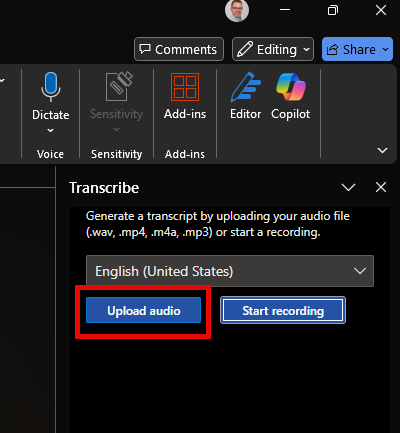
- In the ribbon menu , as depicted below, go to Dictate -> Transcribe:

Select your language (default English) and press Upload File -> pick the file you want to be transcribed from you computer
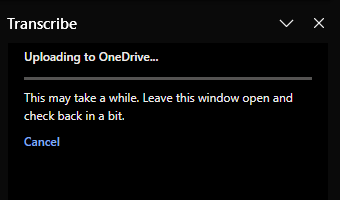
Its now transcribing, which could take a while
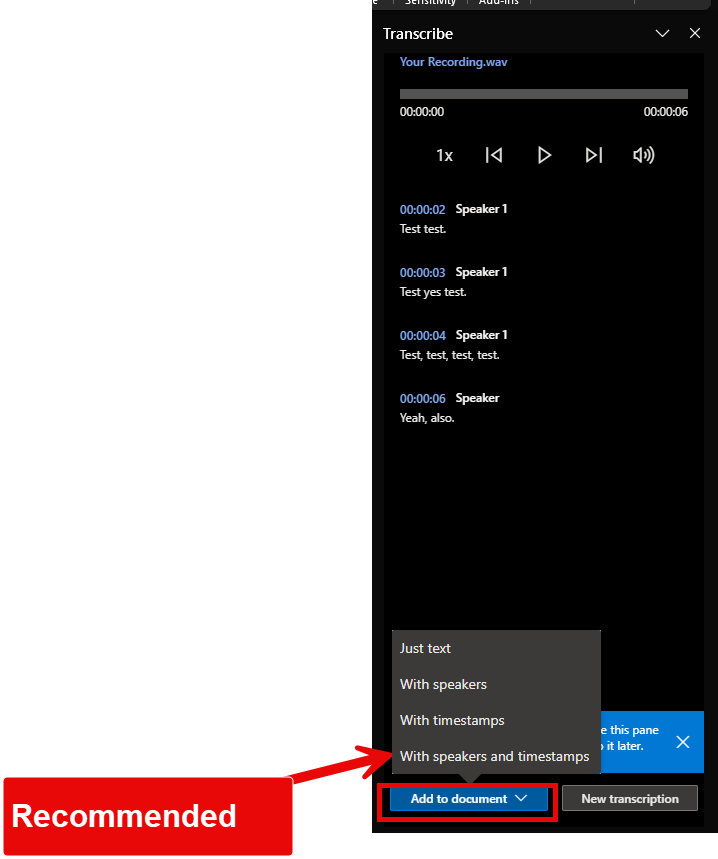
Once finished you'll see the result in the same sidebar
You can now Press the add the transcription into the document, see below on the recommended settings
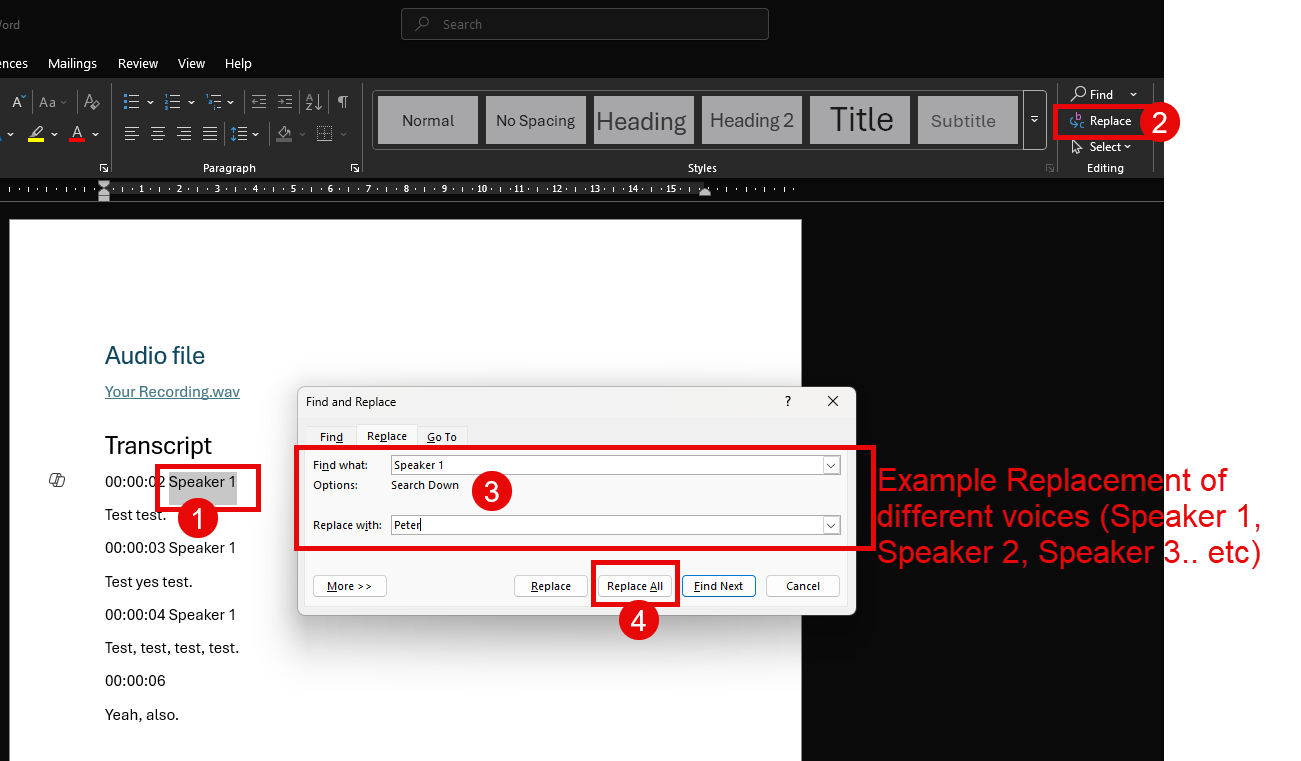
Additionally, you can in the Word text replace 'Speaker 1' etc with the real person names (i.e. Peter) as seen below:
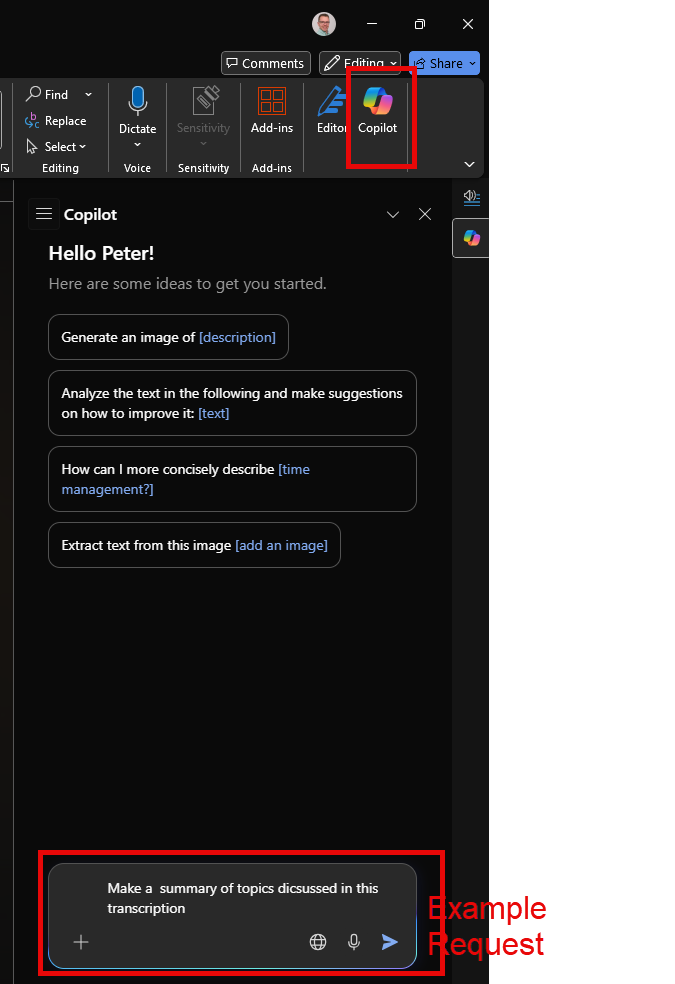
Optionally, you can use Co-Pilot to make a summary for you (requires Co-Pilot license)
Don't forget to save the document.